Video Tutorial
If you are from India or if you know the Hindi language, you can follow the video by watching it. If not, you can scroll down below.
Table of Contents
- What is SecretMoji App?
- How Does SecretMoji Encryption Work?
- How to Install SecretMoji App
- How to Encrypt Messages Using SecretMoji
- How to Decrypt Messages Using SecretMoji
- Important Security Points
- Common Errors and Solutions
- Best Practices for Using SecretMoji
- Use Cases for SecretMoji
- Advantages of SecretMoji
- Limitations
- Future Apps Coming Soon
- Frequently Asked Questions
- Download SecretMoji App
- Conclusion
What is SecretMoji App?
SecretMoji is a powerful Android app that allows you to encrypt any text message into emojis. Once encrypted, your message becomes completely unreadable to anyone except the person who has the correct password.
This app is perfect for:
- 🔒 Sending private messages on WhatsApp, Telegram, or Instagram
- 🛡️ Protecting sensitive information like passwords or links
- 🎯 Ensuring privacy even if your messages are intercepted
- 💬 Fun encrypted communication with friends
Important: This app only encrypts text messages (letters, numbers, links). It does not encrypt media files like images or videos.
How Does SecretMoji Encryption Work?
SecretMoji uses a unique encryption algorithm that converts your text into emoji combinations. Here’s what makes it special:
🔐 Key Features:
- Emoji-Based Encryption - Your text converts into a series of emojis
- Password Protected - Only the correct password can decrypt the message
- Dynamic Encryption - Same text encrypts differently each time
- No Pattern Recognition - Impossible to crack by analyzing emoji patterns
- Fully Offline - Works without internet connection
🎲 Why It’s Secure:
Even if you encrypt the same word “hello” multiple times, the emoji combination changes every time. This means:
- ✅ No one can learn your encryption pattern
- ✅ Even if someone gets your encrypted message, they need the password
- ✅ Removing even one emoji makes decryption impossible
- ✅ Wrong password = Decryption fails
How to Install SecretMoji App
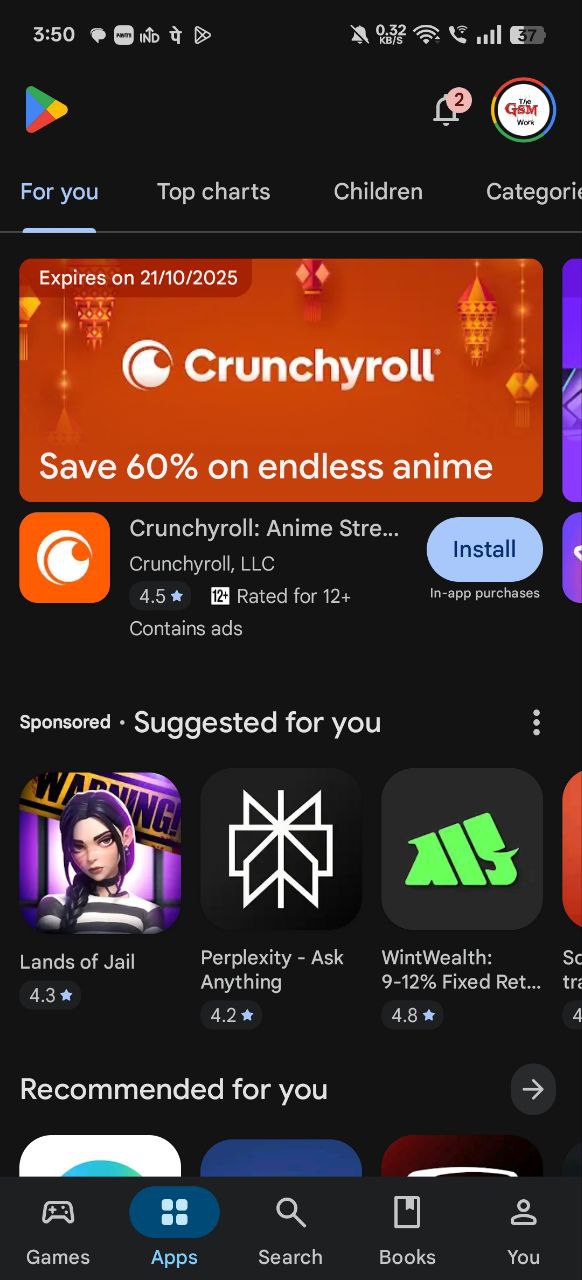
Step 1: Open Google Play Store
Go to your Android device and open the Google Play Store.
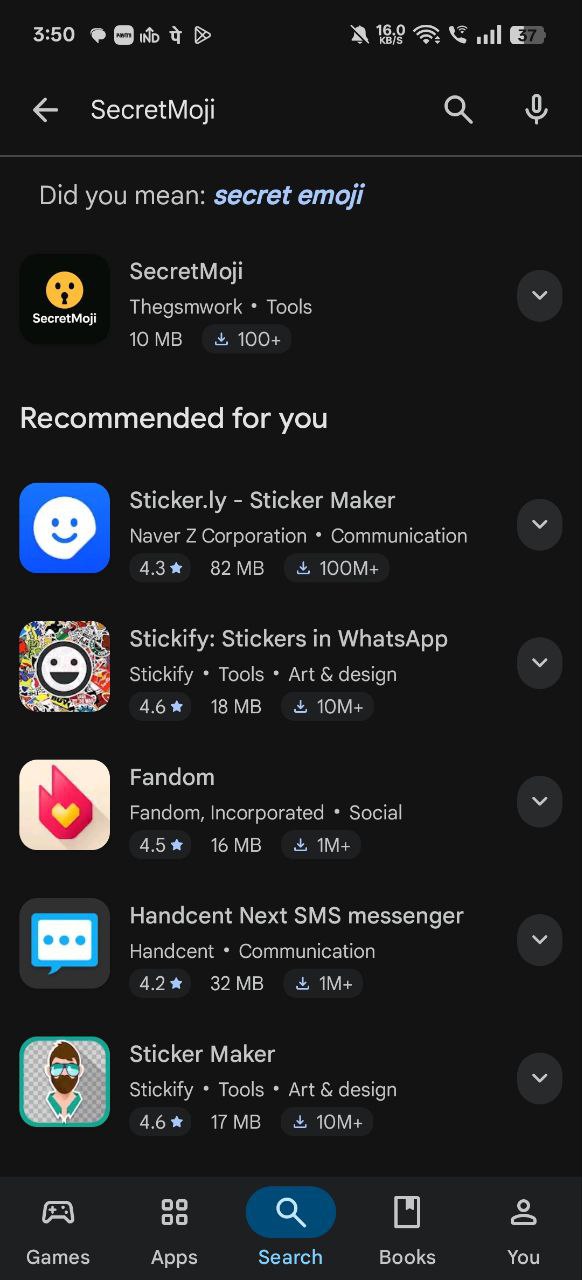
Step 2: Search for SecretMoji
In the Play Store search bar, type “SecretMoji” and search.
Note: If you cannot find the app in Play Store, use this direct link: SecretMoji on Play Store
Step 3: Install the App
Click on the SecretMoji app and press the “Install” button.
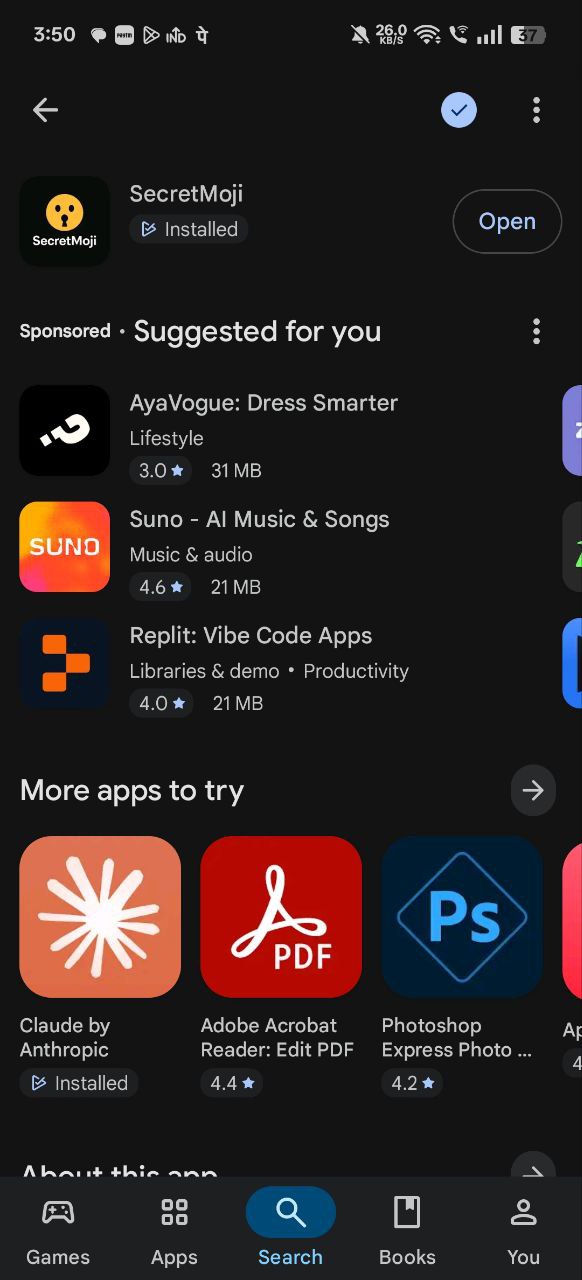
Wait for the installation to complete. Once done, open the app and you’re ready to start encrypting!
How to Encrypt Messages Using SecretMoji
Now let’s learn how to encrypt your messages step by step.
Step 1: Open SecretMoji App
Launch the SecretMoji app on your Android device.
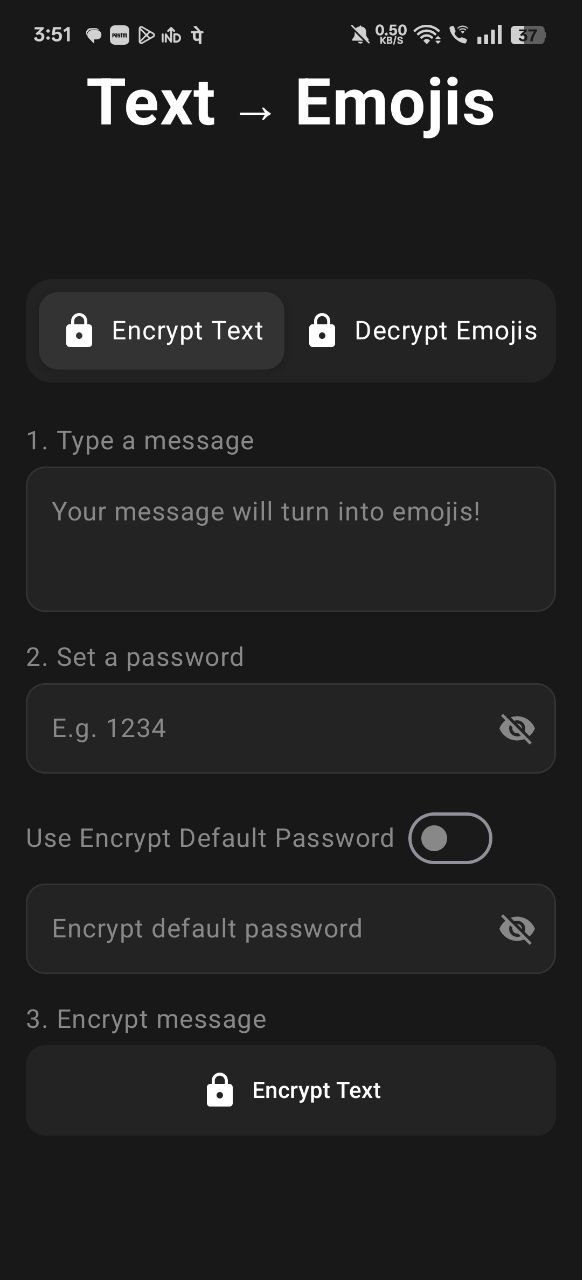
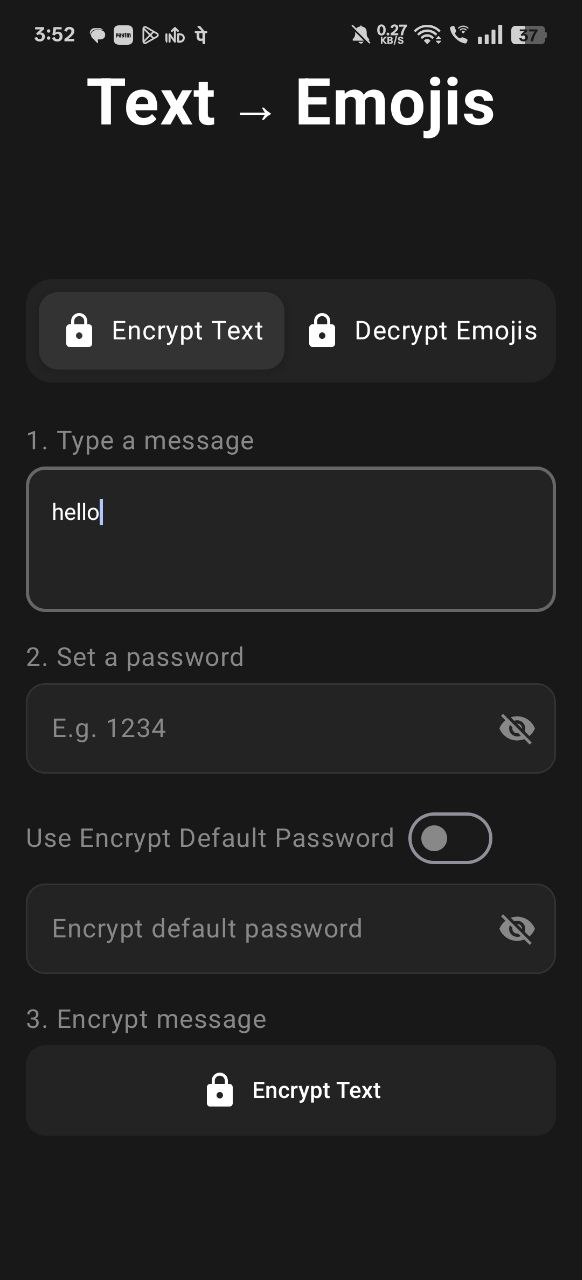
Step 2: Type Your Message
In the message input box, type the text you want to encrypt.
For example, let’s type: “hello”
You can encrypt:
- ✅ Any text message
- ✅ Numbers
- ✅ Links
- ✅ Passwords
- ✅ Special characters
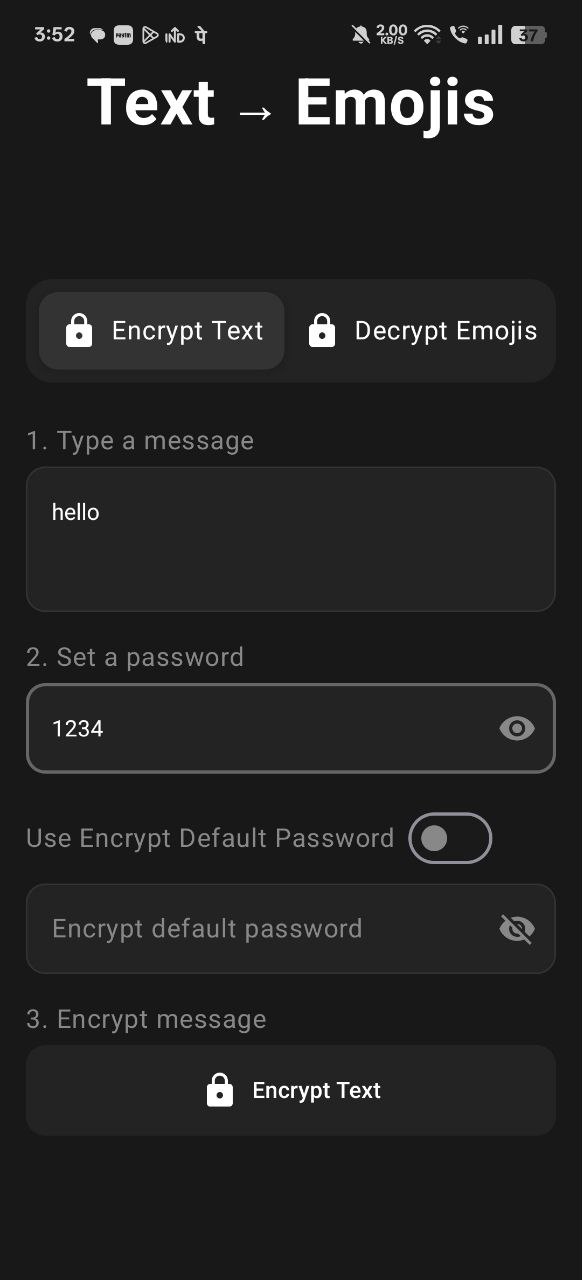
Step 3: Set Your Password
In the password field, enter a strong password that will be used to encrypt and decrypt your message.
Example: 1234 (You can use any password you want)
⚠️ Important: Remember this password! You’ll need to share it with the person you’re sending the encrypted message to.
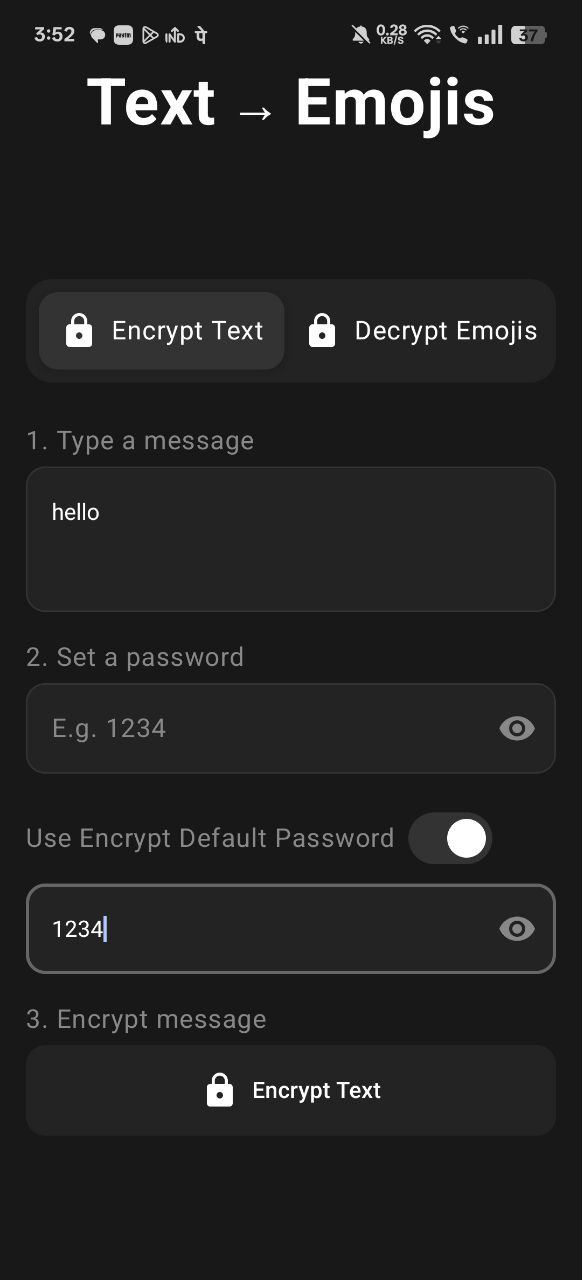
Step 4: Enable Default Password (Optional)
If you plan to use the same password frequently, you can set a default password:
- Look for “Use Encrypt Default Password” option
- Enter your preferred password in the default password field
- Enable the toggle
Benefits:
- ✅ No need to type password every time
- ✅ Faster encryption process
- ✅ Consistent password for multiple messages
Step 5: Encrypt Your Message
Now click on the “Encrypt Text” button.
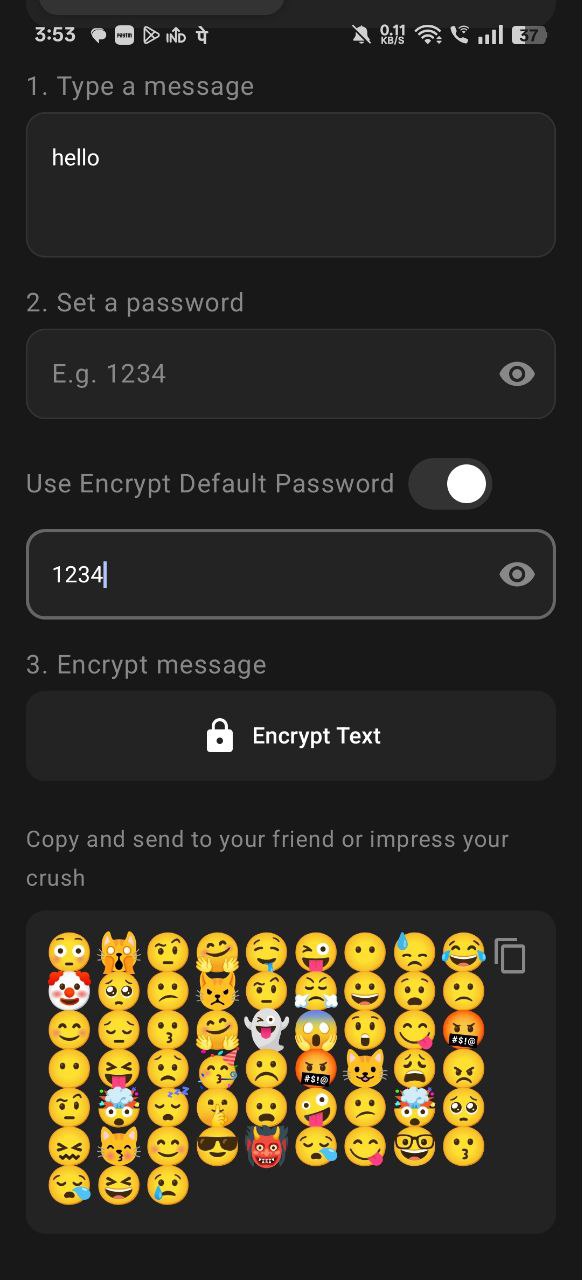
🎉 Magic happens! Your text message will instantly convert into emojis!
For example, “hello” might become:
😳🙀🤨🤗🤤😜😶😓😂🤡🥺😕😾🤨😤😀😧🙁😊😔😗🤗👻😱😲😋🤬😶😝😟🥳☹️🤬😺😩😠🤨🤯😴🤫😦🤪😕🤯🥺😖😽😊😎👹😪😋🤓😗😪😆😢
Step 6: Copy the Encrypted Message
You have two options to copy the encrypted emoji message:
Option 1: Use the Copy button in the app (recommended)
Option 2: Long-press on the encrypted emoji message, select all emojis, and tap “Copy”
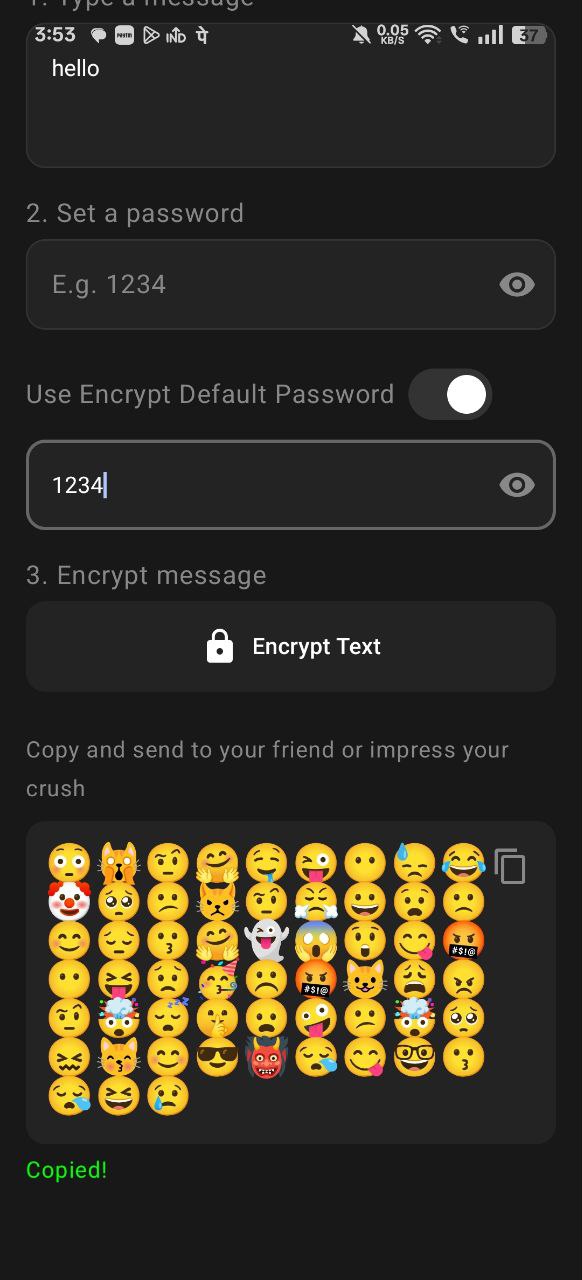
⚠️ Important: Make sure ALL emojis are copied. Don’t miss even a single emoji!
Step 7: Send to Your Recipient
You can now send this encrypted message through:
- ✈️ Telegram
- 📱 SMS
- Or any other messaging platform
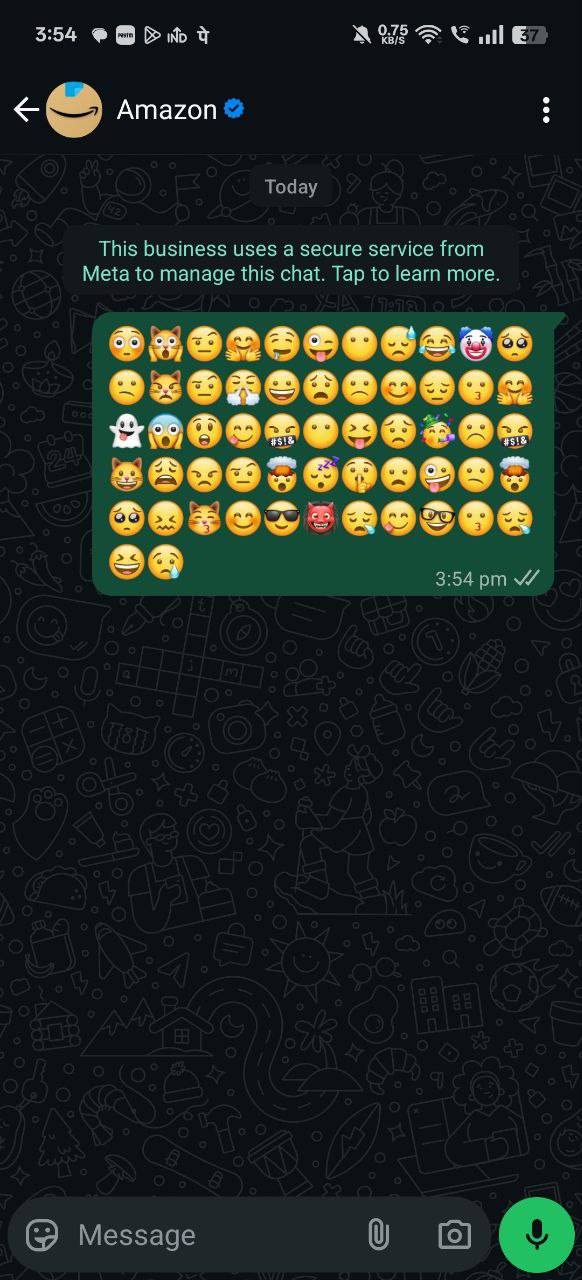
Important: Tell your recipient:
- They need to install SecretMoji app
- They need the password you used
- They must copy ALL emojis (don’t miss even one!)
How to Decrypt Messages Using SecretMoji
Now let’s see how the recipient can decrypt and read your message.
Step 1: Install SecretMoji App
The person receiving your encrypted message must also install the SecretMoji app from Play Store.
Note: Follow the same installation steps mentioned in the How to Install SecretMoji App section above.
Step 2: Copy the Encrypted Message
Ask them to copy the entire emoji message you sent them. Make sure they don’t miss even a single emoji!
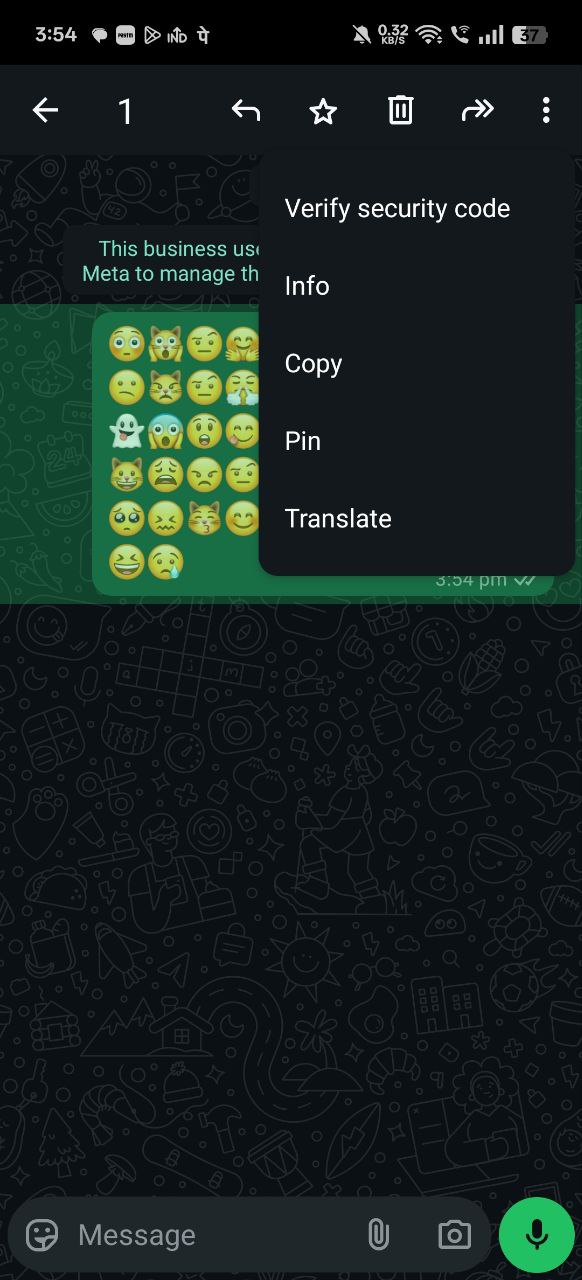
⚠️ Critical: If even ONE emoji is missing, decryption will fail!
Step 3: Open Decrypt Emojis Tab
In SecretMoji app, navigate to the “Decrypt Emojis” tab.

Step 4: Paste the Encrypted Message
Tap in the input field and paste the emoji message they received.

Step 5: Enter the Password
In the password field, enter the same password you shared with them.
Example: If you used 1234, they must enter 1234
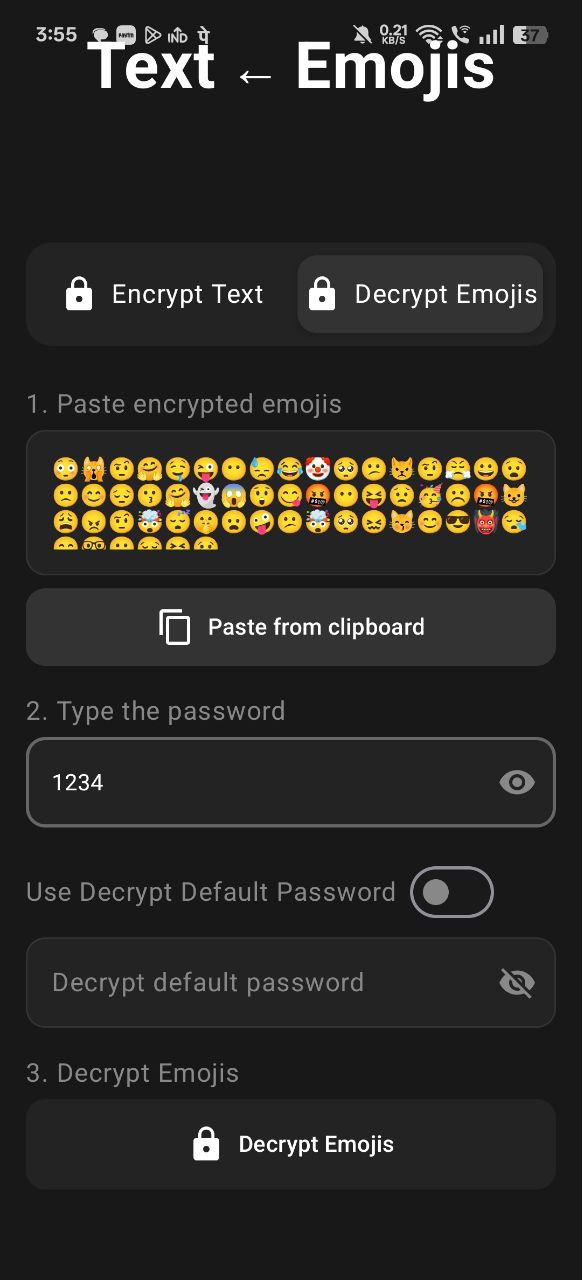
Note: They can also set this as default password if they’ll decrypt multiple messages from you.
Step 6: Decrypt the Message
Click on “Decrypt Emojis” button.

✅ Success! The original message will appear and you can read the decrypted text!
Important Security Points
⚠️ Things to Remember:
-
Complete Emoji String Required
- All emojis must be copied
- Missing even one emoji = Decryption fails
- Extra spaces don’t matter
-
Correct Password is Essential
- Wrong password = Decryption fails
- Password is case-sensitive
- Share password through a secure channel
-
Dynamic Encryption
- Same text encrypts differently each time
- No pattern can be learned
- Maximum security
-
Both Parties Need the App
- Sender needs SecretMoji to encrypt
- Receiver needs SecretMoji to decrypt
- Free to download
Common Errors and Solutions
❌ Error 1: Decryption Failed
Possible Causes:
- Wrong password entered
- Missing emoji from the encrypted message
- Extra characters added
Solution:
- Double-check the password
- Re-copy the complete emoji message
- Ensure no extra spaces or characters
❌ Error 2: Cannot Find SecretMoji in Play Store
Solution:
- Check the pinned comment on the YouTube video
- Download from the provided link
- Ensure your device is compatible
❌ Error 3: Emojis Not Showing Properly
Solution:
- Update your device to latest Android version
- Ensure WhatsApp/Telegram is updated
- Use a compatible messaging app
Best Practices for Using SecretMoji
🔐 Security Tips:
-
Use Strong Passwords
- Mix numbers and letters
- Don’t use common passwords like “1234”
- Change passwords regularly
-
Share Password Securely
- Don’t send password in the same message
- Use voice call to share password
- Use a different secure channel
-
Verify Recipient
- Make sure you’re sending to the right person
- Confirm they have SecretMoji installed
- Test with a simple message first
-
Keep Backups
- Save important encrypted messages
- Remember your passwords
- Note down default password securely
Use Cases for SecretMoji
🎯 When to Use Encrypted Messages:
-
Sending Passwords
- Share account passwords safely
- Send OTP codes securely
- Transfer API keys
-
Private Links
- Share private download links
- Send confidential URLs
- Protect access links
-
Sensitive Information
- Bank details
- Credit card numbers
- Personal identification
-
Business Communication
- Confidential business data
- Trade secrets
- Contract details
-
Personal Privacy
- Private conversations
- Relationship messages
- Surprise plans
Advantages of SecretMoji
✅ Benefits:
- Free to Use - Completely free app, no subscriptions
- Easy to Use - Simple interface, user-friendly
- Works Offline - No internet required for encryption/decryption
- Cross-Platform - Send encrypted messages on any app
- Unbreakable - Dynamic encryption prevents pattern recognition
- Fast - Instant encryption and decryption
- No Data Storage - App doesn’t save your messages
- Lightweight - Small app size, minimal battery usage
Limitations
⚠️ Things to Know:
- Text Only - Cannot encrypt images, videos, or audio files
- Password Required - Both parties need to know the password
- App Dependency - Both sender and receiver need SecretMoji app
- Manual Process - Need to copy-paste encrypted messages
Frequently Asked Questions
❓ Is SecretMoji safe to use?
Yes! SecretMoji is completely safe. It doesn’t store your messages or passwords. All encryption happens on your device.
❓ Can someone crack my encrypted message?
No! Even if someone gets your encrypted message, they need the exact password. The dynamic encryption means no pattern can be learned.
❓ Do I need internet for encryption?
No! SecretMoji works completely offline. You can encrypt and decrypt without internet connection.
❓ Can I encrypt long messages?
Yes! You can encrypt messages of any length. The app will convert the entire text into emojis.
❓ What if I forget my password?
Unfortunately, there’s no password recovery. If you forget the password, the encrypted message cannot be decrypted. Always remember your passwords!
❓ Can I use this for WhatsApp business?
Yes! You can use SecretMoji with any messaging platform including WhatsApp, WhatsApp Business, Telegram, etc.
Download SecretMoji App
📱 Download Link: SecretMoji on Google Play Store
Or search “SecretMoji” on Play Store.
Conclusion
SecretMoji is an excellent app for anyone who wants to send encrypted text messages using emojis. It’s simple, secure, and works on all messaging platforms.
🎯 Key Takeaways:
- ✅ Free and easy to use
- ✅ Converts text to emojis for encryption
- ✅ Password-protected encryption
- ✅ Dynamic encryption prevents pattern learning
- ✅ Works offline
- ✅ Compatible with all messaging apps
📌 Remember:
- Both parties need SecretMoji app
- Password must be shared securely
- Copy all emojis completely
- Use strong passwords
Start using SecretMoji today and enjoy private, secure messaging with the power of emoji encryption! 🔐🎉
Related Posts: